Real-Time SO-ARM 101 ROS2 Teleoperation in Isaac Sim with LeRobot
If you're interested in robotics and AI, you've probably heard of the SO-ARM 101, the open-source robotic arm developed by Hugging Face in collaboration with The Robot Studio, and supported by a growing community of makers worldwide. Hugging Face's CEO has called it "the first robot arm any AI builder should buy," and it's quickly becoming one of the most popular platforms for learning imitation and reinforcement learning with real hardware. The best part? It's 3D printable, costs between $100 and $500 depending on how you source it, and integrates directly with the LeRobot framework.
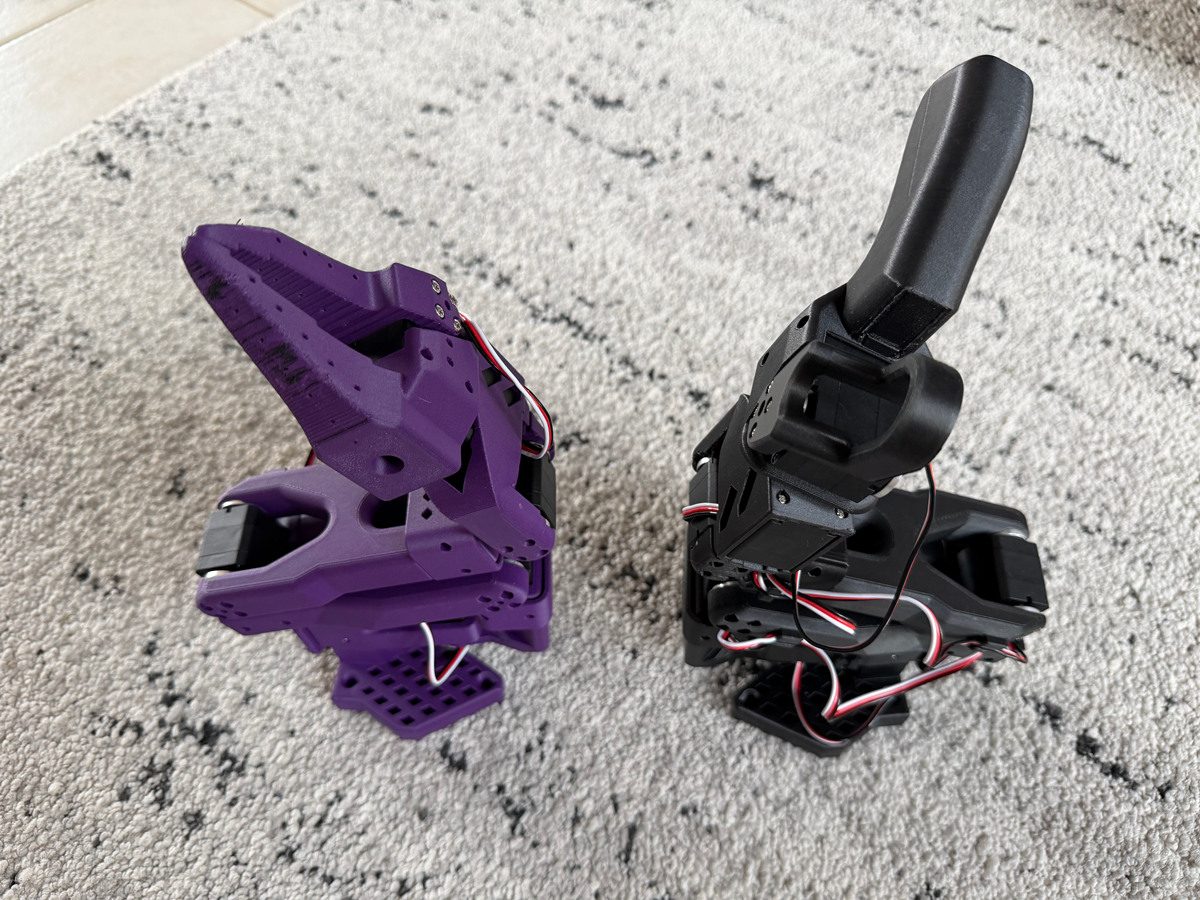
Project Goal: Enable real-time control of the SO-ARM 101 digital twin in Isaac Sim using the physical leader arm.
📦 Full Source Code: All updated code, ROS2 integration, and configuration files are publicly available in my forked GitHub repository at github.com/protomota/lerobot-sim. My contributions are detailed in PROTOMOTA_README.md.
In the video below, you'll see a split-screen view: on the left is the physical 3D-printed leader arm from the SO-ARM 101, and on the right is a screen recording of Isaac Sim showing the digital twin responding in real-time to my movements. I'm using the leader arm as a controller for the simulated robot, with every joint movement mirrored instantly in the simulation.
To get this working, I built a ROS2 bridge between the LeRobot teleoperation framework and Isaac Sim. I wrote a custom teleoperation controller that reads joint positions from the physical leader arm and publishes them as ROS2 messages. On the Isaac Sim side, there's an action graph that subscribes to those ROS2 commands and converts them into movements within the simulation, creating seamless real-time control.
The Challenge with Separate Processes
I started with LycheeAI's approach, which uses separate processes for teleoperation and joint state publishing. It's a clean, logical design - separation of concerns at its finest. However, I ran into challenges getting it to work reliably with my hardware setup.
The core issue is that the Feetech STS3215 motors communicate over USB serial using half-duplex communication. When two processes try to access the same serial port simultaneously, you get packet collisions, corrupted data, and error messages like "There is no status packet" flooding your terminal.
I experimented with various solutions - mutex locks, reduced read frequencies, queue-based IPC - but couldn't achieve the reliability I needed for real-time teleoperation.
The Integrated Solution
The fix was elegant: integrate ROS2 publishing into the teleoperation loop itself. The loop already reads joint positions every cycle, so just publish them to ROS2 at the same time.
┌────────────────────────────────────────────────────────┐
│                   Teleoperation Loop                   │
│                                                        │
│   1. Read leader position (ACM0)                       │
│   2. Read follower position (ACM1)  ──► ROS2 Publish   │
│   3. Write to follower (ACM1)                          │
│                                                        │
└────────────────────────────────────────────────────────┘
No port conflicts. 60Hz publishing. Smooth simulation.
The new command is called lerobot-ros-teleoperate, and it supports two modes:
Full mode is when you have both the leader and follower arms connected. The leader controls the follower, and the follower's positions get published to ROS2.
Sim-only mode is when you only have the leader arm. The leader positions get published directly to ROS2, driving the simulation without needing physical follower hardware.
This is huge for development. You can iterate on your simulation setup using just the leader arm, without needing the full dual-arm rig powered up.
USB Connection Order Matters
One gotcha that tripped me up: USB port assignment is based on plug-in order. The first arm you plug in gets /dev/ttyACM0, the second gets /dev/ttyACM1.
I standardized on:
- Leader first, gets ACM0
- Follower second, gets ACM1
If you get weird behavior where the wrong arm is responding, unplug both and reconnect in the correct order.
Gripper Calibration
The gripper needed special handling. Once I had basic teleoperation working, I noticed the gripper wasn't behaving correctly in Isaac Sim. It would move, but not through its full range, and the closed position wasn't lining up.
After some debugging, I discovered the issue: the physical gripper outputs values from about 0.02 radians when closed to 1.72 radians when open. But Isaac Sim's Jaw joint needed to reach -11 degrees to fully close.
The fix was two-part:
- Set Isaac Sim Jaw limits to -11 (lower) and 100 (upper)
- Apply -0.21 rad offset in code
Now the gripper tracks perfectly.
Bridging to Isaac Sim
The lerobot-ros-teleoperate command publishes joint positions to /joint_states, which is the standard ROS2 topic for joint data. But the Isaac Sim USD file from LycheeAI has its action graph configured to listen on /isaac_joint_command.
Rather than modify either side, I used topic_tools relay, a standard ROS2 utility that republishes messages from one topic to another. It's a one-liner that bridges the two:
ros2 run topic_tools relay /joint_states /isaac_joint_command
This keeps the LeRobot side using standard conventions while matching what Isaac Sim expects.
Getting the Code
IMPORTANT: To get this working, you need to clone my forked repository that includes the integrated ROS2 teleoperation solution and all the modifications discussed in this post.
Clone the repository:
git clone https://github.com/protomota/lerobot-sim.git
cd lerobot-sim
Follow the installation instructions in the repository README to set up the environment and dependencies.
Quick Start
source /opt/ros/humble/setup.bash
conda activate lerobot

# Terminal 1: Start teleoperation (leader arm on ACM0)
lerobot-ros-teleoperate \
    --teleop.type=so101_leader \
    --teleop.port=/dev/ttyACM0 \
    --teleop.id=armatron_leader

# Terminal 2: Relay joint states to Isaac Sim's expected topic
ros2 run topic_tools relay /joint_states /isaac_joint_command
Then open Isaac Sim, load your USD file, and press Play. The simulated arm will mirror your physical leader arm in real-time.
What's Next
With teleoperation working, the next step is adding cameras. The goal is vision-based imitation learning, where the robot learns tasks by watching demonstrations.
The plan:
- Add camera feeds to capture what the robot "sees" during teleoperation
- Record demonstrations pairing camera frames with joint positions as the operator performs tasks
- Train vision policies that map camera input directly to robot actions
- Deploy to real hardware using the same camera setup on the physical follower arm
LeRobot already has infrastructure for this. The framework supports recording datasets with synchronized camera and joint data, and includes ACT (Action Chunking Transformer) and other imitation learning policies out of the box.
If you found this useful, let me know in the comments. And if you're building something similar, I'd love to hear about it.
Credits
- TheRobotStudio - Original SO-ARM 100 design and hardware
- LeRobot - Hugging Face's framework for real-world robotics
- LycheeAI - Isaac Sim URDF modifications, Action Graph info, and initial ROS2 bridge concepts